What Is n8n? The Workflow Automation Tool Explained (2026)
9 min read · By Hamza Amir · Updated October 30, 2026
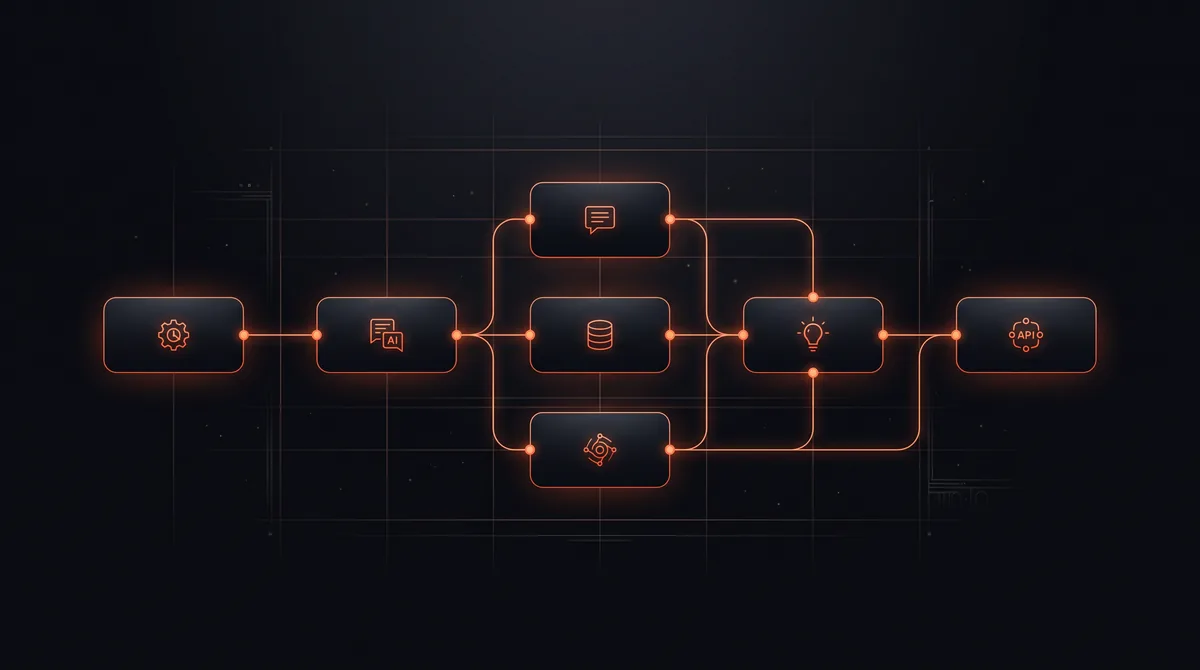
n8n is a workflow automation platform that connects your apps, databases, and AI models in a visual, node-based editor. Each workflow starts with a trigger (a new form submission, an email, a schedule, a webhook) and runs a chain of steps that move data, make decisions, call APIs, and increasingly, run AI agents. You can use it in n8n's cloud or host it yourself on your own server.
It was created by Jan Oberhauser and first released in 2019, and is developed by n8n GmbH in Berlin. As of October 2026, n8n's own site lists 500+ native integrations, plus a generic HTTP node that reaches almost any API. We build client automations on n8n every week, so this guide covers what it is, how it works, what it costs, and when it is the right choice.
Key takeaways
- n8n is a visual workflow automation tool you can self-host or use in the cloud.
- It bills by workflow execution, not by step, which makes multi-step automations cheaper.
- Its Sustainable Use License allows free self-hosting for your own internal business use.
- It includes AI agent nodes, so workflows can read, classify, and decide, not just move data.
- Want one built for you? Claim a free automation.
What is n8n used for? Common n8n use cases
n8n handles the repetitive work that sits between your tools. Common business uses we build:
- Lead handling: capture a form or ad lead, enrich it, score it, add it to the CRM, and alert the right rep in seconds.
- Inbox triage: read incoming email, classify it with AI, draft replies, and route it to the right person.
- Document extraction: pull fields from invoices, contracts, or applications into a spreadsheet or system.
- Reporting: compile numbers from several tools into one weekly summary.
- AI agents: give a model tools (search, CRM, calendar) and let it complete multi-step tasks with guardrails.
- Back office: onboarding steps, invoice reminders, order syncing, and data cleanup.
For more ideas across tools, see these AI automation examples.
How does n8n automation work?
Every n8n workflow is a set of connected nodes. A trigger node starts the run. Action nodes do the work: read or write data in an app, transform fields, branch on conditions, loop over items, or call an AI model. Data flows from node to node as structured items you can inspect at every step, which makes debugging much easier than in most no-code tools.
When a built-in node does not exist, the HTTP Request node connects to any API, and Code nodes let you write JavaScript or Python for custom logic. That combination is why technical teams like n8n: it is visual when you want speed and code-capable when you hit an edge case.
Want an automation like this built for you, free?
Pick one of 10 ready automations, like instant lead replies, review requests, or invoice follow-ups, or describe your own. We build it on your tools at no cost.
n8n and AI agents
n8n includes AI agent and MCP features on its plans, so a workflow can hand a task to a language model, give it tools, and act on the result. A practical example: an agent reads each inbound lead, checks the company website, scores fit, drafts a personal reply, and books a call, while the workflow logs every step and escalates anything uncertain to a person.
The skill is not connecting the model, it is designing the guardrails: what the agent may do on its own, what needs approval, and how failures are caught. See how to build an AI agent and what are AI agents.
How much does n8n cost?
n8n's official pricing page (checked October 30, 2026) lists these plans, priced in euros with annual billing:
| Plan | Price (billed annually) | Workflow executions per month | Where it runs |
|---|---|---|---|
| Community Edition | Free | Unlimited (your server limits) | Self-hosted |
| Starter | €20 per month | 2,500 | n8n cloud |
| Pro | €50 per month | 10,000 | n8n cloud |
| Business | €667 per month | 40,000 | Self-hosted |
| Enterprise | Custom | Custom | Cloud or self-hosted |
An execution is one run of a whole workflow, no matter how many steps it has. Full details and a cost comparison are in our n8n pricing guide.
Is n8n open source?
Not in the strict OSI sense. n8n calls its model "fair-code": the source is public, and its Sustainable Use License says you may use or modify the software "only for your own internal business purposes or for non-commercial or personal use." Some enterprise features sit under a separate n8n Enterprise License. In practice, a business can self-host n8n free to automate its own operations, but cannot resell n8n itself as a hosted product without a commercial agreement.
n8n vs Zapier and Make
Zapier is the easiest to start with and has the largest app library. Make is visual and flexible at a low price. n8n wins on cost at volume, self-hosting, code flexibility, and AI agent depth. The trade-off is a steeper learning curve. We compare them in detail in n8n vs Zapier and n8n alternatives.
Should your business use n8n?
n8n is a strong fit when you run workflows with many steps or high volume, handle data you would rather keep on your own infrastructure, need AI agents rather than simple triggers, or have someone technical to own it. If you only need a few simple two-app connections, an easier tool may be enough.
If you want the result without learning the tool, our workflow automation service designs, builds, and maintains n8n automations for you, or you can claim one automation free to see the quality first.
n8n is a workflow automation platform that connects apps, databases, APIs, and AI models in a visual, node-based editor. You can run it in n8n's cloud or self-host it, and it bills by workflow execution rather than by step.
Want this built on your systems?
Get a free automation teardown. We'll map the top 3 workflows we'd automate in your business and what they'd save, in 20 minutes, no commitment.
Response time
≤ 4 business hours
Coverage
USA · UK · EU
Team
10 engineers · 1 PM