Intelligent Workflow Automation: When Workflows Start Making Decisions
7 min read · By Hamza Amir · Updated October 30, 2026
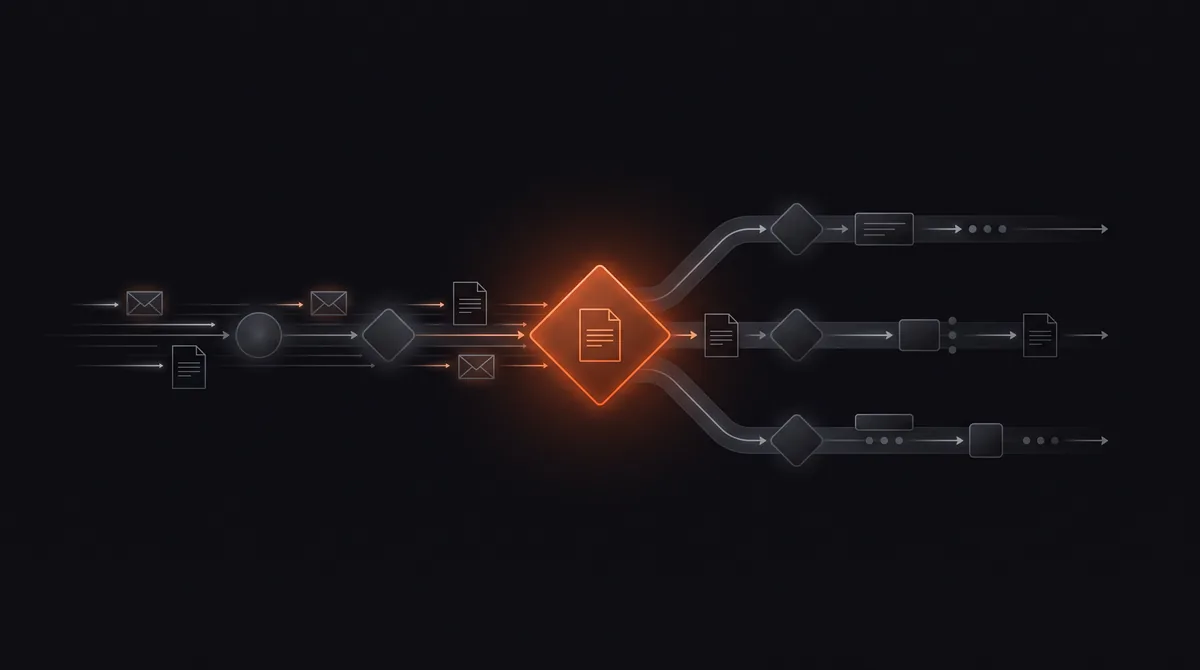
Intelligent workflow automation combines traditional workflow automation (triggers, steps, and rules that move work between systems) with AI that can read unstructured information, classify it, extract data, and make bounded decisions. A rule-based workflow can move an email into a folder; an intelligent workflow can read the email, understand it is an urgent complaint from a key account, draft a reply, and alert the account manager.
The results show up as hours returned. In one of our own projects, a Series B SaaS team eliminated 80+ hours a week of manual CRM work and saw pipeline conversion rise 18% the next quarter, once AI-assisted workflows took over data entry and updates.
Key takeaways
- Intelligent workflow automation = workflow automation + AI judgment.
- It handles unstructured inputs: emails, documents, chats, and notes.
- Rules still run the process; AI handles the reading and deciding steps.
- Confidence thresholds and human review keep it safe.
- Our client returned 80+ hours a week of manual CRM work with this approach.
What is intelligent workflow automation?
It is a workflow where at least one step uses AI to interpret or decide. The workflow engine handles triggers, sequencing, retries, and integrations; AI models handle tasks that used to need a person, such as understanding a request, pulling fields from a document, or choosing the right next step. For the broader category, see what is intelligent automation.
Intelligent workflow automation vs rule-based automation and RPA
The three are complementary; most real systems mix them:
| Rule-based workflow | RPA | Intelligent workflow automation | |
|---|---|---|---|
| Input | Structured data | Screens and UIs | Structured and unstructured |
| Logic | Fixed if/then rules | Recorded clicks | Rules plus AI judgment |
| Handles exceptions | Poorly | Breaks when screens change | Classifies and routes them |
| Best for | Simple, predictable steps | Legacy systems without APIs | Email, documents, requests, triage |
Want an automation like this built for you, free?
Pick one of 10 ready automations, like instant lead replies, review requests, or invoice follow-ups, or describe your own. We build it on your tools at no cost.
Intelligent workflow automation examples
These are the patterns we build most often:
- Inbox triage: read, classify, and route incoming email with drafted replies.
- Invoice processing: extract fields, match to purchase orders, flag mismatches. See how to automate invoice processing.
- Lead handling: enrich, score, and route leads. See AI lead qualification.
- Support tickets: categorize, answer routine questions, escalate the rest with a summary.
- CRM hygiene: turn call notes and emails into structured CRM updates.
- Onboarding: collect documents, check completeness, and trigger the next steps.
How to design intelligent workflows safely
Five design rules we apply to every build:
- Keep AI steps narrow: one clear job per AI step, such as classify or extract.
- Use structured outputs so later steps get clean fields, not prose.
- Set confidence thresholds: low-confidence results go to a person.
- Log inputs and outputs for every AI decision.
- Test on real historical cases before going live, then sample results weekly.
Tools for intelligent workflow automation
Workflow platforms such as n8n, Make, and Zapier now include AI steps, and n8n in particular supports AI agents with tools inside workflows. The platform matters less than the design. Compare options in n8n vs Zapier and what is n8n.
Our workflow automation service designs and builds intelligent workflows end to end, and inbox triage is one of the automations you can claim free.
Intelligent workflow automation combines rule-based workflow automation with AI that reads unstructured information, extracts data, classifies requests, and makes bounded decisions, so workflows can handle tasks that previously needed a person.
Want this built on your systems?
Get a free automation teardown. We'll map the top 3 workflows we'd automate in your business and what they'd save, in 20 minutes, no commitment.
Response time
≤ 4 business hours
Coverage
USA · UK · EU
Team
10 engineers · 1 PM